





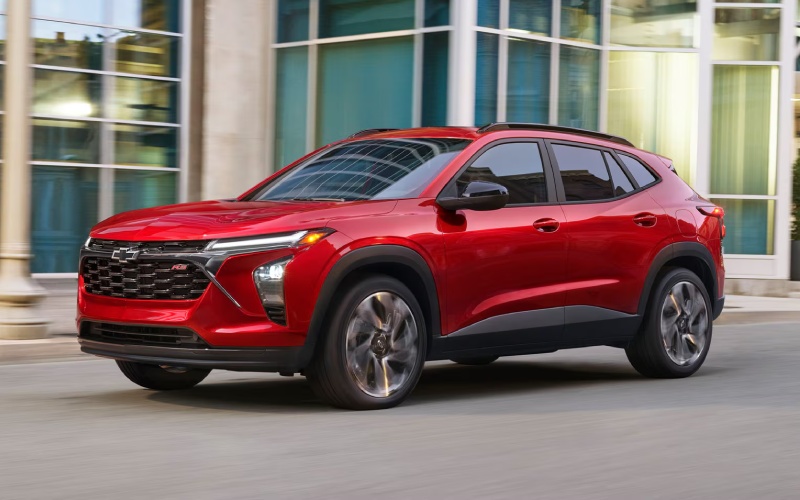
Don Johnson Motors Chevrolet – Is Chevy Safety Assist standard on the 2026 Trax for Barron, WI drivers?
Safety technology has become a must-have for many small SUV shoppers, and the 2026 Trax makes that decision easy by including Chevy Safety Assist on every trim. If you’re driving around Barron, WI, you’ll appreciate how this suite adds everyday confidence without complicating your routine.
What Chevy Safety Assist Includes
Chevy Safety Assist combines six driver assistance features designed to help you spot hazards earlier and respond with more control. Forward Collision Alert and Automatic Emergency Braking can warn you of a potential front-end collision and apply hard emergency braking or enhance your own braking in certain situations. Front Pedestrian Braking works similarly at forward speeds to help reduce or avoid pedestrian impacts. Lane Keep Assist with Lane Departure Warning provides gentle steering support if it detects you unintentionally drifting out of your lane. Following Distance Indicator displays your gap to the vehicle ahead so you can maintain safer spacing, and IntelliBeam® High Beam Assist automatically toggles the high beams to optimize visibility when traffic conditions allow.
Together, these features bring meaningful support to everyday drives—especially if your routes mix in-town errands with highway stretches. The alerts are designed to be clear without being intrusive, and the systems can often be tailored within the vehicle settings so you can fine-tune how and when notifications appear.
Standard on Every Trim, Useful in Every Scenario
Whether you prefer the value-packed LS, the sporty 1RS or 2RS, the well-equipped LT, or the confident ACTIV, Chevy Safety Assist is along for the ride. That means you don’t have to move up the lineup just to get core safety features. It’s standard because so many drivers now consider these technologies table stakes for modern driving—especially for commutes, school drop-offs, and the occasional weekend road trip.
If you’ve never driven with these systems before, a quick familiarization on your test drive can go a long way. Ask to see how the alerts display in the cluster, how sensitivities can be adjusted, and how IntelliBeam® behaves as ambient light changes. Within a few minutes, you’ll have a feel for how the Trax quietly watches your blind spots and buffers your attention, all while keeping you firmly in control.
How Safety Tech Complements Everyday Trax Utility
Safety is one pillar of the 2026 Trax story. The others—connectivity, comfort, and versatility—round out the experience. Standard wireless Apple CarPlay® and wireless Android Auto™ compatibility make it simple to bring your maps, podcasts, and messages into the cabin without cords. An available 11-inch center HD touch-screen delivers a crisp, intuitive interface that’s easy to scan at a glance. Available wireless charging and an available built-in Wi-Fi® hotspot help keep your crew powered and connected on the move.
When plans change, the flexible cabin answers. With seating for five and a 60/40 split-folding rear seat, you can quickly reconfigure for bulky boxes, band gear, or a mix of passengers and longer items. The low lift-over height and wide-opening doors are small touches you’ll appreciate every time you load up.
Tips to Evaluate Safety Tech on a Test Drive
On your test drive, give yourself a few extra minutes to explore Chevy Safety Assist. Start by confirming your preferred settings in the vehicle menus. Then, as you drive, look for the visual and audible cues from Lane Keep Assist with Lane Departure Warning and Following Distance Indicator. On a safe, low-traffic stretch, ask your Product Specialist to demonstrate how IntelliBeam® toggles the high beams automatically. If traffic picks up, pay attention to Forward Collision Alert’s notifications—notice how they’re designed to warn, not startle.
This focused approach helps you understand the systems in context and decide how you want them configured day-to-day. If you often split time between errands and longer drives, you’ll likely find the combination of gentle steering support, speed-gap awareness, and automatic lighting makes your drive feel easier and more composed.
Frequently Asked Questions:
Do I need to choose a higher trim to get Chevy Safety Assist?
No. Chevy Safety Assist is standard on every 2026 Trax trim, so you can shop styling and convenience features without worrying about losing core safety tech.
Can I adjust how the alerts behave?
Yes. Many settings, like alert sensitivity and certain notification types, can be customized in the vehicle menus. Your Product Specialist can help you set them up during your test drive.
Does Chevy Safety Assist replace safe driving habits?
It does not. These systems assist the driver, but you remain responsible for safe operation. The technology is designed to support your awareness, not substitute for it.
How does Trax tech integrate with safety features?
The available 11-inch center HD touch-screen and the driver information displays are designed to present alerts and information clearly, helping you process what you need at a glance while staying focused on the road.
If you’re comparing small SUVs for confident daily driving in our area, the Trax makes the decision straightforward: standard Chevy Safety Assist across the board, modern infotainment that feels familiar from day one, and practical space that flexes when life is busy. Visit our team at Don Johnson Motors Chevrolet—serving Barron, Chetek, and Bloomer—to explore trims, see the alert displays in action, and set up a test route that mirrors your daily drive. You’ll leave with clarity on how the Trax fits your lifestyle and the peace of mind that its core safety tech is already built in.
Request more 2026 Chevrolet Trax information
Connect with us


Archives
- 2023 chevy
- 2023 GMC
- Chevrolet Colorado
- Chevrolet Dealer
- Chevrolet Equinox
- Chevrolet Silverado
- Chevrolet Silverado 1500
- Chevrolet Silverado 2500 HD
- Chevrolet Silverado 3500 HD
- Chevrolet Tahoe
- Chevrolet Trailblazer
- Chevrolet Traverse
- Chevrolet Trax
- Chevy GMC Service Center in Rice Lake
- GMC Dealer in Rice Lake, WI
- Rice Lake Chevrolet Dealer
- Rice Lake Chevrolet Service